



wellness
How to Reduce Screen Fatigue Fast

Jun
By 3 p.m., your eyes feel hot, your focus slips, and that low-grade headache starts pressing behind your forehead. If that sounds familiar, learning how to reduce screen fatigue is less about one miracle fix and more about building a smarter recovery routine around the way you actually work and live.
Screen fatigue is what happens when your eyes and nervous system never really get a break. You stare, blink less, hold tension in your face and neck, and keep pushing through. The result can show up as dry eyes, blurry vision, pressure around the temples, light sensitivity, brain fog, irritability, and even trouble winding down at night.
The good news is that relief is usually very achievable. In many cases, small changes create a noticeable difference within days. And if your job keeps you on a laptop all day, you do not need to give up your screens to feel better. You need better habits, better setup, and more intentional recovery.
Why screen fatigue hits harder than most people expect
Most people assume the problem is just blue light. That is only part of the picture. Screen fatigue usually comes from a stack of stressors happening at once.
Your blink rate drops when you focus on a screen, which can leave the eyes dry and irritated. Your eye muscles stay locked into near-focus for long periods, which can create that heavy, tired sensation. At the same time, your posture often shifts forward, tightening the jaw, temples, neck, and shoulders. Add bright overhead lighting, glare, poor sleep, and nonstop notifications, and your body starts treating work like a low-level endurance event.
That is why quick relief matters, but recovery matters just as much. If you only power through, the discomfort tends to come back the next day.
How to reduce screen fatigue during the workday
The fastest wins usually come from fixing the strain you are creating hour by hour. Start with your screen distance and position. Your monitor should generally sit about an arm’s length away, with the top of the screen at or slightly below eye level. If it is too close, your eyes work harder. If it is too high, you may open your eyes wider and dry them out faster.
Brightness matters too. A screen that is dramatically brighter than the room can feel harsh, while a dim screen in a bright room can make your eyes strain to read. Aim for balance. If you notice reflections on the screen, reposition the monitor or change the angle before you assume your eyes are the problem.
Then look at text size. Many people tolerate tiny fonts all day without realizing how much extra effort they are demanding from their eyes. Increasing font size, zoom, and contrast can reduce strain immediately. It is a small change, but it often has a bigger payoff than people expect.
Try the 20-20-20 rule, but make it realistic
You have probably heard the 20-20-20 rule: every 20 minutes, look at something 20 feet away for 20 seconds. It works because it gives your focusing muscles a reset. The problem is that many people forget to do it.
Make it easier. Pair it with something you already do, like sending an email, finishing a task, or taking a sip of water. If every 20 minutes feels impossible during intense work, do it every 30 to 40 minutes. A habit you actually keep is better than a perfect rule you ignore.
And when you look away, blink on purpose. A few slow, full blinks can help restore moisture and calm that scratchy, overworked feeling.
Reduce the tension around your eyes and head
Screen fatigue is rarely just in the eyes. Many people carry strain in the brow, temples, scalp, jaw, and upper neck without noticing it until a headache starts building.
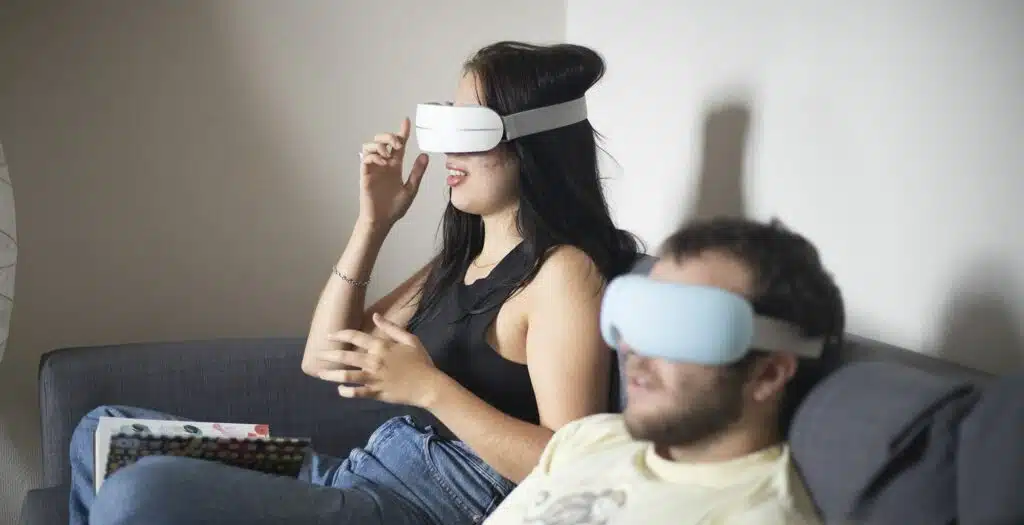
That is why recovery tools can make such a difference. Gentle warmth, compression, and massage around the eye area may help the muscles around the face relax and give your body a clear signal to downshift. For people who spend long hours on screens, this kind of relief can feel less like a luxury and more like maintenance.
If your fatigue usually comes with forehead pressure, temple tightness, or that wired-but-drained feeling, an eye massage session at the end of the day can be a practical reset. It is especially useful if you want something easy to use at home instead of adding another appointment to your week.
Build an environment that does not fight your eyes
If your workspace is full of visual stress, your body pays for it by the afternoon. Overhead lighting, direct sunlight on your screen, and high-glare surfaces can all increase discomfort.
Softer ambient light usually feels better than harsh top-down light. If possible, place your screen perpendicular to windows instead of directly in front of or behind them. That reduces glare and helps your eyes maintain a more comfortable balance.
Air quality matters more than people realize too. Dry indoor air from heating or AC can make screen fatigue feel worse. If your eyes burn or feel gritty, the problem may not be your screen alone. Hydration, room humidity, and regular blinking all play a role.
How to reduce screen fatigue if you use multiple devices
A laptop plus phone plus tablet creates a different kind of strain because your eyes and posture keep changing positions. You look down at your phone, up at your laptop, back to a second monitor, then down again. That constant shift can be surprisingly exhausting.
The best fix is to reduce unnecessary switching. If you can answer messages on your computer instead of checking your phone every few minutes, do that. If a second monitor improves workflow, set it up so you are not twisting your neck all day to use it.
There is also a trade-off here. More screens can improve productivity, but they can also increase visual load. If your eyes feel significantly worse since adding devices, convenience may be costing you comfort.
Your evening routine has a huge effect on next-day eye strain
One of the biggest mistakes people make is waiting until their eyes feel terrible before doing anything. Recovery works better when it happens daily, not only when discomfort peaks.
Your eyes and nervous system need a transition out of screen mode. That can be as simple as dimming brightness in the evening, cutting back on late-night scrolling, and giving yourself 10 to 20 minutes of real decompression before bed.
This is where heat and massage can be especially effective. A short evening session with a smart eye massager may help ease built-up tension, support relaxation, and make it easier to separate work stress from rest. For many people, screen fatigue is tied to poor sleep in a loop – tired eyes make evenings uncomfortable, more screen time delays rest, and poor sleep makes the next day feel worse. Breaking that cycle matters.
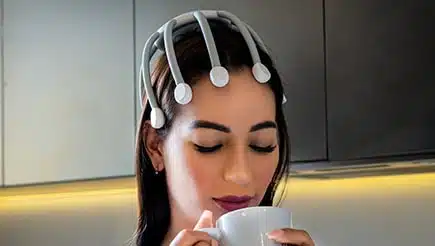
If you also get neck and scalp tension from long workdays, full-head relaxation can help your eyes indirectly by reducing the overall stress load your body is carrying.
When screen fatigue is really a lifestyle issue
Sometimes the screen gets blamed for everything, when the bigger problem is cumulative stress. Poor sleep, dehydration, skipped breaks, long work hours, and high mental load can all make your eyes more sensitive and your headaches more frequent.
That does not mean your symptoms are not real. It means the best solution is often broader than display settings. Better sleep hygiene, more movement during the day, and consistent recovery can improve how resilient you feel in front of a screen.
Think of it this way: your eyes are not isolated from the rest of your body. If your shoulders are tight, your jaw is clenched, and your brain never gets a break, your screen tolerance usually drops.
Signs you may need more than a simple routine
Most screen fatigue improves with better habits and recovery, but some symptoms deserve closer attention. If you have persistent blurry vision, severe headaches, strong light sensitivity, eye pain, or symptoms that do not improve with rest, it is worth talking with an eye care professional. You may be dealing with an uncorrected vision issue, dry eye, migraines, or another condition that needs more targeted care.
That is not a reason to ignore your daily routine. It is a reminder that wellness works best when it is honest. Sometimes relief comes from simple adjustments. Sometimes it comes from realizing you need support beyond them.
A better way to think about screen relief
If you want to know how to reduce screen fatigue in a way that lasts, stop treating it like a minor annoyance you have to tolerate. Your eyes, head, and nervous system are telling you that your current setup needs support.
The best approach is not extreme. It is consistent. Better screen positioning, more intentional breaks, less glare, slower evenings, and at-home recovery tools that help your body release tension can change the way your entire day feels. That is the real goal – not just surviving screen time, but feeling clear, comfortable, and more like yourself again.

